When Your Gear Vanishes at Idle: Tracking Down USB Autosuspend on Linux
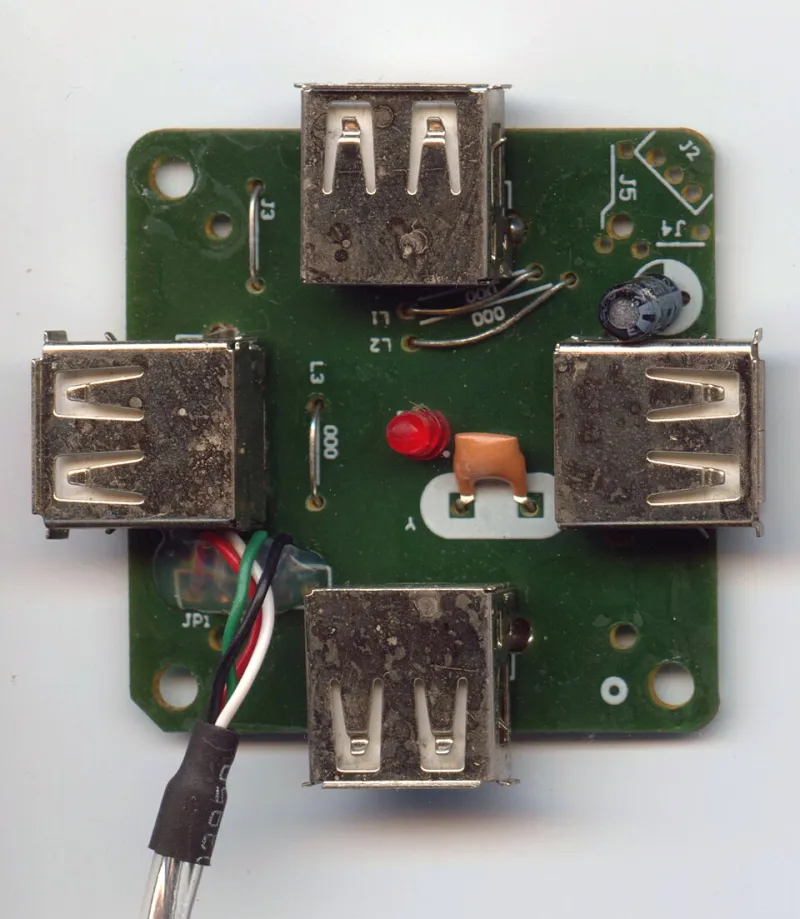
Photo: Alexander Jones, Public domain, via Wikimedia Commons
The symptom is always a little eerie. You leave a USB-serial logger running overnight and come back to an empty log. A USB Ethernet dongle drops off the network sometime between lunch and three o'clock. A keyboard takes a second to wake up, then works fine. Nothing was touched. Nothing was hot. The device simply stopped existing for a while.
People reach for a new cable first, then a powered hub, then a different machine. Sometimes that is right. But a surprising share of these cases are the kernel doing exactly what it was configured to do: asking the device to go to sleep and then quietly tearing down the connection when it does not come back cleanly.
What autosuspend is, minus the datasheet
USB has had a suspend concept since the beginning. A host can tell a device to enter a low-power state when idle, and later wake it with a resume signal. Linux exposes this through runtime power management, and the knob lives in sysfs at power/control on each USB device, with values of on or auto and a companion delay in autosuspend_delay_ms.
There are really three overlapping mechanisms that get lumped together as "autosuspend" in conversation:
- Device autosuspend. The kernel idles an individual device after a delay.
- Selective suspend on the host controller. The xHCI controller suspends individual root ports.
- Hub port power switching. Some hubs cut or reduce downstream port power.
Add laptop power-management daemons and vendor firmware tuning on top, and the settings you observe may not match anything in the kernel documentation.
Three suspects that look identical in dmesg
When a device drops, journalctl -k usually shows a disconnect followed by a fresh enumeration. That pattern is nearly identical whether the cause is autosuspend, a marginal connector, or a power budget problem. Separate them by asking:
- Does it correlate with idle time? Suspicious of power management.
- Does it correlate with load or with another device being plugged in? Suspicious of power delivery.
- Does it correlate with movement, temperature, or a specific cable? Suspicious of physical connection.
- Does it happen on a powered hub but never directly on the machine? Strongly suggests power.
A device that re-enumerates under a new bus address after a stress test is drawing more than its port can give. A device that vanishes at minute twelve of doing nothing is a suspend candidate.
Look at what the kernel thinks is happening
The fastest survey is a grep across the USB device tree:
grep -H . /sys/bus/usb/devices/*/power/control
grep -H . /sys/bus/usb/devices/*/power/runtime_status
grep -H . /sys/bus/usb/devices/*/power/autosuspend_delay_ms
runtime_status reads active, suspended, suspending, or unsupported. Watch it with watch -n 1 while the device sits idle and you will see the transition happen in real time.
Mapping those 1-2 style names to actual hardware is the annoying part. Use:
udevadm info --query=property --path=/sys/bus/usb/devices/1-2 | grep -E 'ID_VENDOR_ID|ID_MODEL_ID|ID_SERIAL'
or just lsusb and match up the bus and device numbers.
The one-line experiment
Once you have identified the suspect, force it awake:
echo on | sudo tee /sys/bus/usb/devices/1-2/power/control
Then reproduce the conditions that normally kill it. Idle for an hour, leave the logger running overnight, whatever the trigger was. If the device stays put, you have found your cause. This change is temporary and disappears at unplug or reboot, which makes it a clean experiment and a useless permanent fix.
Remember that a USB device is a small tree, not a single node. The interface entries underneath (1-2:1.0) have their own power directories, and the hub above your device may be suspending independently of it.
Global switches, and why to be stingy with them
The kernel accepts usbcore.autosuspend=-1 on the command line to disable autosuspend everywhere. It is a legitimate diagnostic and, on a desktop that never runs on battery, an entirely defensible permanent choice. On a laptop it costs you measurable runtime, and on a machine with dozens of devices it can cost more than you expect.
It is also blunt. You are turning off a feature for a mouse, a fingerprint reader, and a webcam because one CP210x adapter is badly behaved.
A narrow quirks rule instead
For a device that genuinely cannot handle being idled, write a targeted rule in /etc/udev/rules.d/50-usb-no-autosuspend.rules:
ACTION=="add", SUBSYSTEM=="usb", ATTR{idVendor}=="10c4", ATTR{idProduct}=="ea60", TEST=="power/control", ATTR{power/control}="on"
Because this matches the USB device node itself rather than a child, plain ATTR{} is correct here. The TEST guard keeps the rule from erroring on hardware that does not expose runtime PM at all.
Apply it with:
sudo udevadm control --reload-rules
sudo udevadm trigger --subsystem-match=usb --action=add
and confirm by replugging the device and re-reading power/control.
The kernel also supports a usbcore.quirks=vid:pid:flags boot parameter for a documented set of per-device workarounds. Before writing a rule for a device that fails in a very specific, repeatable way, check the kernel admin guide — somebody may have already encoded that exact failure as a flag letter.
If you run TLP or powertop
On laptops, TLP applies USB autosuspend to devices not on its denylist. The relevant settings live in /etc/tlp.conf, and current versions use USB_DENYLIST with entries in vendor:product hex form. Adding your adapter there is the correct integration point, because it survives TLP's own application cycle and does not fight with it.
[powertop](https://en.wikipedia.org/wiki/PowerTOP) --auto-tune flips power/control to auto across the board at runtime. It is a great way to confirm that power management is your culprit, and a terrible thing to put in a boot script without knowing what it touches.
When it is not autosuspend at all
Some messages point elsewhere, and it is worth knowing them on sight:
device descriptor read/64, error -71— protocol error, usually cabling or a port that cannot deliver what the device needs.over-current condition— power, unambiguously.- Repeated
resetlines with no disconnect — the device is alive but failing to negotiate. Often a hub or a firmware quirk.
If disabling power management for a device does not change the behavior, stop tuning power management. You are now debugging a physical layer problem, and no sysfs write will fix a cable that has been crimped in a laptop bag for three years.
Finding the balance
Let mice, keyboards, and idle storage sleep. They wake in milliseconds and nobody notices. Turn autosuspend off, per device, for anything doing unattended work: serial adapters running overnight captures, USB audio interfaces that pop on resume, Ethernet dongles carrying a remote session, and any device you have already had to replug once. That list is short, specific, and it does not require sacrificing your battery life to keep one flaky adapter happy.