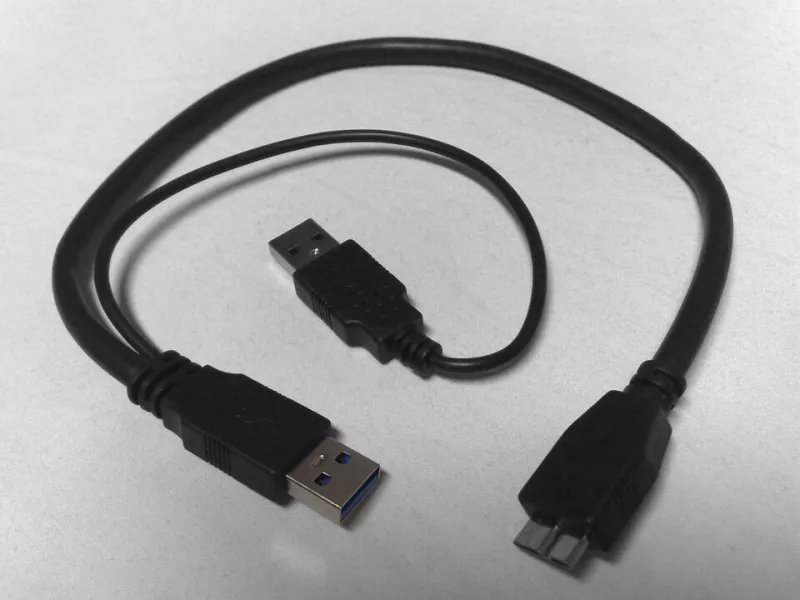
Ports on a Leash: A Working USBGuard Allowlist for Real Linux Desktops
Photo: Julien Min GONG, CC BY 2.0, via Wikimedia Commons
A thumb drive on the sidewalk outside a St. Louis office park. Someone plugs it in "just to see whose it is." Ten seconds later a shell has pulled a script off the internet, and the machine belongs to somebody else. That is the entire BadUSB pitch, and it does not require malware written to flash memory — only firmware on a cheap controller that tells the host "I am a keyboard now."
Linux does nothing to stop this out of the box. udev loads the driver, /dev/hidraw0 appears, and keystrokes are keystrokes. USBGuard is the layer that puts a policy in front of that moment.
The threat model that is actually worth your Saturday
Skip the nation-state stuff. For a home office or a ten-person shop, the realistic scenarios are boring:
- Lobby and parking-lot drops. A device appears where people walk. Curiosity is a vulnerability.
- Conference swag and vendor demos. A branded hub that enumerates as a hub and a HID device and and a mass-storage volume.
- Contractors and visiting relatives. Someone plugs in a phone, a camera, or a sketchy charging cable to top off a battery.
- The multi-class impostor. The nastiest one: a device that legitimately needs one interface and quietly claims three more.
What USBGuard cannot do is equally important. It will not save you from a device you have already approved, it will not touch firmware-level attacks inside an authorized peripheral, and it is irrelevant to DMA-capable ports like Thunderbolt. This is port hygiene, not a force field.
How USBGuard actually works
The kernel exposes an authorization flag per USB device. Unauthorized devices still enumerate enough for the kernel to read their descriptors — that is how the daemon knows what showed up — but their drivers never bind. USBGuard is a daemon that watches those events and answers one question per device: allow or block, based on a rules file.
That means the policy is only as good as the rules you write. Which is where most guides lose people.
Step one: build the baseline while everything is plugged in
Install it first, but do not enable it yet.
# Debian / Ubuntu
sudo apt install usbguard
# Fedora
sudo dnf install usbguard
Now plug in every device you trust and use regularly: keyboard, mouse, dock, hub, YubiKey, printer, the USB-to-serial adapter for the ham radio, all of it. Then generate a snapshot:
sudo usbguard generate-policy > /tmp/rules.conf
sudo less /tmp/rules.conf
You will get lines that look roughly like this:
allow id 1050:0407 serial "" name "Yubico YubiKey OTP+FIDO+CCID" hash "..." parent-hash "..." via-port "1-3" with-interface { 03:01:01 03:01:02 }
Read each field before you trust it:
idis vendor and product. Weak on its own — clones share IDs.via-portpins the device to a physical port. Great for a desktop keyboard; annoying on a laptop that travels.with-interfaceis the sleeper feature. Restricting a keyboard to HID interface class03:01:01means a sibling mass-storage interface on the same stick never binds.parent-hashties a device to the hub model it hangs off, which helps with docks that shuffle port numbers.
The generated file is a starting point, not gospel. Tighten with-interface on anything that has no business being a keyboard.
Step two: set the daemon's default posture
Edit /etc/usbguard/usbguard-daemon.conf and check these three settings:
PresentDevicePolicy=apply-policy
InsertedDevicePolicy=apply-policy
AuthorizedDefault=none
AuthorizedDefault=none is the strict option: a device the rules do not mention gets blocked, not allowed. That is what you want. Then install the rules and start the service:
sudo install -m 0600 /tmp/rules.conf /etc/usbguard/rules.conf
sudo systemctl enable --now usbguard
Step three: do not lock yourself out
This is the part that produces angry forum posts. Before you enable anything, open a second TTY with Ctrl+Alt+F3 and log in, or keep an SSH session from another machine open. If the keyboard gets blocked, you still have a way in.
Useful recovery moves, in order of escalation:
# See what got blocked
sudo usbguard list-devices -b
# Allow the device in front of you, permanently
sudo usbguard allow-device -p <id>
If you truly cannot type anywhere, boot with the kernel parameter usbcore.authorized_default=2, which restores the kernel's default authorize-everything behavior, then fix the rules file from there.
Then do the reboot test: shut down, unplug everything, boot, and plug the keyboard into its approved port. If it works cold, your policy is real.
Living with it
Day to day, USBGuard is quiet until it is not. Watch the log:
journalctl -u usbguard -f
sudo usbguard watch
Someone plugs in a new flash drive, you see a block event with a device ID, and you decide whether to run usbguard allow-device <id> for this session only or -p to make it permanent. Point AuditFilePath somewhere central if you want a paper trail, because USB events in a small office are exactly the kind of thing nobody remembers a week later.
A few operational realities nobody warns you about:
- Hubs must be allowed for anything downstream to work. Allow the hub by
parent-hashrather than by port if it moves between desks. - Some hardware re-enumerates. Docks that wake from sleep, printers that cycle, and webcams that switch modes can present new descriptors. Leave a little slack or you will be approving the same device twice a day.
- Travel changes the port map. A laptop rule set built around a desk dock will block things at a hotel. Keep one deliberately permissive rule for the travel hub you carry, and let class restrictions do the heavy lifting.
- Phones are the usual complaint. Android's MTP mode flips IDs depending on the USB mode selected. Approve the mode you actually use.
Is strict allowlisting worth the friction?
Run it in a softer posture for two weeks first. Set InsertedDevicePolicy=block while PresentDevicePolicy=apply-policy, and count how often you get blocked. If the answer is once a month, go strict and never think about it again. If the answer is twice a day because of a flaky dock, tighten the rules instead of loosening the policy.
The honest summary: USBGuard does not make you safe, it makes you deliberate. For a machine that sits in a shared office or gets carried through airports, deliberate is a big upgrade over the default, which is "whatever anyone plugs in, the kernel obliges."