Cutting Through the USB 3.x Confusion: What Linux Users Actually Need to Know About Speed Tiers
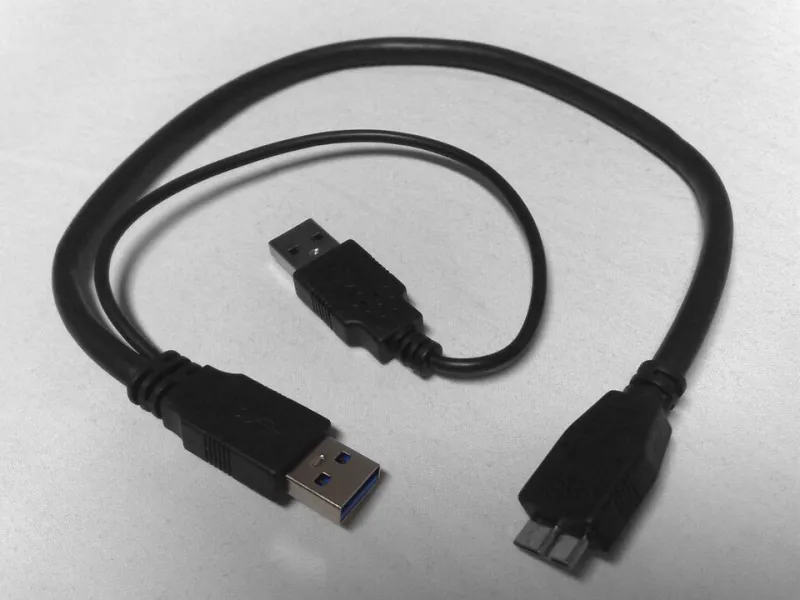
Photo: Dsimic, CC BY-SA 3.0, via Wikimedia Commons
If you've ever stood in a Best Buy aisle (or scrolled an Amazon listing at midnight) trying to figure out whether you need USB 3.0, 3.1, or 3.2, you're not alone. The naming conventions are a mess, the marketing is aggressive, and for Linux users there's an extra layer of complexity: kernel support. Not every speed tier gets treated equally by the Linux stack, and knowing the difference can save you from buying hardware that underperforms — or spending more than you need to.
Let's untangle this thing properly.
First, a Quick History Lesson on the Naming Chaos
Here's the part nobody warns you about: USB 3.0, 3.1, and 3.2 don't always mean what you think they mean. The USB Implementers Forum (USB-IF) has a habit of retroactively renaming older standards, which has caused enormous confusion.
The current official naming looks like this:
- USB 3.2 Gen 1 — formerly USB 3.0, formerly USB 3.1 Gen 1. Max speed: 5 Gbps
- USB 3.2 Gen 2 — formerly USB 3.1 Gen 2. Max speed: 10 Gbps
- USB 3.2 Gen 2x2 — the true USB 3.2 newcomer. Max speed: 20 Gbps (requires USB-C)
So when a manufacturer labels something "USB 3.1," they might mean 5 Gbps or 10 Gbps depending on when the device was made and how carefully they're applying current naming. Always look for the Gen designation, not just the version number.
How Linux Kernel Support Evolved Across Generations
This is where it gets genuinely interesting for us Linux folks. The good news is that the Linux kernel has had solid USB 3.0 (Gen 1) support since around kernel 2.6.31, which landed back in 2009. By the time most of us were daily-driving Ubuntu 12.04 or Fedora 17, 5 Gbps USB was essentially plug-and-play.
USB 3.1 Gen 2 (10 Gbps) took a bit longer to mature. The xHCI (Extensible Host Controller Interface) driver — the backbone of USB 3.x support in Linux — received meaningful improvements for Gen 2 throughput starting around kernel 4.x. If you're running anything from the last five or six years, you're in good shape. Distributions like Ubuntu 22.04 LTS, Fedora 38+, and Linux Mint 21 all ship with kernels that handle Gen 2 without drama.
USB 3.2 Gen 2x2 is the newest kid on the block, and here's the honest take: kernel support exists, but real-world hardware using it is still relatively niche. You'll mostly encounter Gen 2x2 on high-end desktop motherboards and external NVMe enclosures aimed at content creators. The kernel handles it, but you'll want to be on 5.x or newer — ideally 5.10+ — to avoid edge-case quirks.
Real-World Throughput: What the Numbers Look Like on Linux
Theoretical bandwidth and actual throughput are two different animals. Here's a realistic picture of what you can expect when transferring large files on a mainstream Linux distro:
USB 3.2 Gen 1 (5 Gbps) Real-world sequential read speeds on a fast flash drive typically land between 300–450 MB/s. Mechanical hard drives are completely bottlenecked by their own hardware long before they hit the USB ceiling. For everyday tasks — booting a live USB, transferring documents, backing up photos — this tier is more than sufficient.
USB 3.2 Gen 2 (10 Gbps)
With a quality NVMe enclosure or a fast USB-C SSD, you can realistically hit 700–900 MB/s sequential reads on Linux. Tools like fio and dd confirm that the Linux xHCI driver scales well here. This is where the upgrade starts to feel tangible if you're moving large video files or doing disk imaging work.
USB 3.2 Gen 2x2 (20 Gbps) This is territory for external NVMe drives with the right enclosure. On Linux, with a compatible host controller and a Gen 2x2 capable device, sequential reads north of 1.5 GB/s are achievable. That's legitimately fast — faster than many SATA SSDs running internally. But the hardware on both ends has to support it, and the price premium is real.
The "USB 3.0 Is Dead" Myth
Marketing loves to make you feel like anything older than the latest spec is obsolete. It isn't. The vast majority of USB peripherals — keyboards, mice, webcams, audio interfaces, external hard drives, even many flash drives — have no business being on a 10 Gbps bus. They simply don't generate enough data.
For Linux users running home servers, media centers, or general-purpose desktops, USB 3.2 Gen 1 ports will handle 95% of what you plug in without breaking a sweat. The Linux kernel treats these devices consistently well, and compatibility issues are rare compared to some of the headaches that can come with bleeding-edge hardware.
When Upgrading Actually Makes Sense
So when should you care about Gen 2 or Gen 2x2? Here's a practical checklist:
- You work with large video files (4K, RAW, or higher) and need fast transfers to external storage
- You're using Linux as a content creation workstation and your external drive can actually saturate a 10 Gbps connection
- You run frequent disk images or system backups where transfer time is a real productivity cost
- You're building a NAS or storage server and want the fastest possible USB-attached storage option
- Your motherboard already has Gen 2 ports — in that case, buying a Gen 2 device costs you nothing extra in hardware
If none of those apply, save the money. A quality USB 3.2 Gen 1 flash drive for your Linux live USB toolkit is going to serve you just as well as a Gen 2 device for that particular job.
A Note on USB-C and Backward Compatibility
One thing that trips people up: USB-C is a connector type, not a speed specification. A USB-C port can be Gen 1, Gen 2, or Gen 2x2. It can also be Thunderbolt 3 or 4, which adds another layer. On Linux, Thunderbolt support has improved dramatically — the thunderbolt kernel module handles authorization and device management well on modern distros — but that's a topic for another day.
The takeaway: don't assume a USB-C port is automatically faster than a USB-A port. Check the spec sheet.
Bottom Line
The USB 3.x family is genuinely well-supported in Linux, and the kernel has done a solid job keeping pace with each generation. The real question isn't "which standard is best" — it's "which standard matches what I'm actually doing."
For most Linux users, USB 3.2 Gen 1 hardware is perfectly capable and widely compatible. If you're pushing large files regularly or working with fast external SSDs, Gen 2 is a worthwhile step up. Gen 2x2 is impressive, but it's a niche upgrade that only makes sense if your workflow genuinely demands it.
Plug in what you need. Power up what makes sense. And don't let a version number on a box make the decision for you.