When USB Ports Lie: Power Budgets, Brownouts, and PD Negotiation on Linux

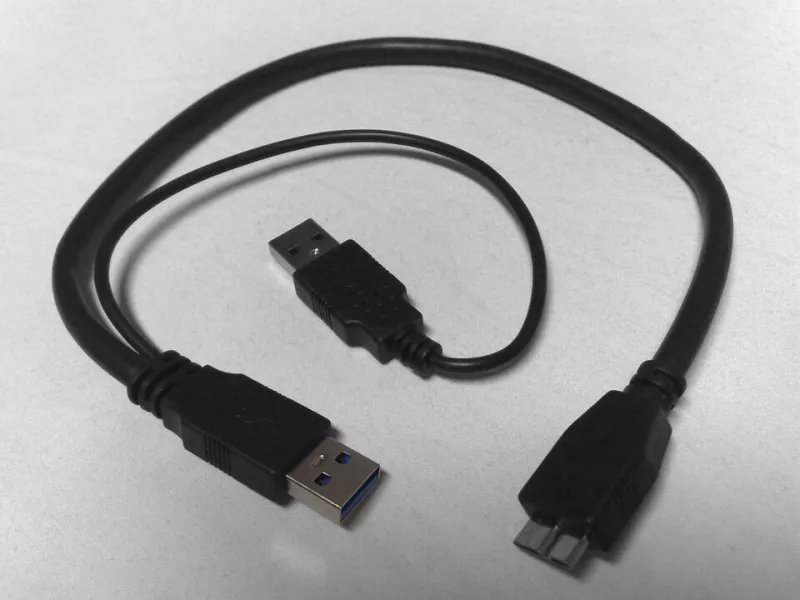
Photo: Flower93903, CC0, via Wikimedia Commons
A USB port is not a wall outlet with a data cable taped to it. It is a negotiated relationship between a host controller, a hub, a cable, and whatever you plugged in. On Linux, that relationship is visible in sysfs and dmesg, but only if you know where to look. The frustrating part is that a port can deliver a stable keyboard connection for years and then fall apart when a 2.5-inch SSD spins up or an audio interface turns on phantom power.
That is usually not a driver bug. It is a power budget problem, a cable problem, or a USB Power Delivery negotiation that never happened. In 2026, USB-C is everywhere, but not every USB-C port is equal. Some are data-only. Some charge at 5V and little else. Some can source 15W, some can sink 100W, and some only do the high-power dance when the right e-marker cable is attached. Linux users need to stop treating the port as magic and start treating it as a budget.
Separate data from power first
USB 2.0 ports traditionally offer 500mA at 5V. USB 3.x ports bump that to 900mA. USB-C changes the conversation: before negotiation, a port may offer only default current, and USB Power Delivery can raise voltage and current far beyond that. But the host still has to advertise what it can do, the cable has to support it, and the device has to ask. A USB-C port on a laptop may be a charging port for the laptop itself, not a high-power source for your accessories. Those roles are not interchangeable.
Linux exposes Type-C roles under /sys/class/typec. On a machine with a Type-C port, try:
cat /sys/class/typec/port0/power_role
cat /sys/class/typec/port0/data_role
cat /sys/class/typec/port0/port_type
You may see source, sink, or dual. You may see host, device, or dual. If the port is acting as a sink because the laptop is charging, do not expect it to behave like a powered hub for a bus-powered enclosure. That is not a Linux defect. It is the port doing exactly what it was told.
What the kernel actually reports
Start with the USB tree:
lsusb -t
This shows devices, speeds, and which hub or root port they hang from. If a device disappears from the tree when it should be active, you have an enumeration or power problem before you have a driver problem. Next, look at what each device claims it needs:
grep . /sys/bus/usb/devices/*/bMaxPower
Those values come from descriptors, not from a live power meter. They are still useful because they show whether a device is asking for 100mA, 500mA, or 900mA. You can also inspect a specific device with usb-devices or lsusb -v -d vendor:product. Do not drown in the verbose output; look for MaxPower, bmAttributes, and the negotiated speed.
Then watch the kernel while you reproduce the failure:
sudo dmesg -w
Look for over-current condition, device not accepting address, reset SuperSpeed USB device, USB disconnect, or cannot enable. A single reset during hotplug can be harmless. Repeated resets under load are a clue. A disconnect with no driver-specific error is often power, cable, or firmware.
The usual suspects in a brownout
The first suspect is the cable. A charge-only USB-C cable may carry power but no data, or it may lack the e-marker needed for higher PD contracts. A damaged cable can enumerate at USB 2.0 speeds and then drop when current rises. Swap cables before you write a forum post. The second suspect is a bus-powered hub. Cheap hubs split one upstream port across four downstream ports and then act surprised when a portable SSD pulls more current than the upstream port can supply. The third suspect is port sharing on a laptop or small-form-factor PC. Rear ports on a desktop are often more stable than front-panel ports because the front panel adds a header cable and sometimes a weak hub.
A real-world pattern: a Samsung or SanDisk portable SSD works fine for small files, then disconnects during a large write. The drive spins up, current climbs, the port voltage sags, and the kernel logs a reset. Another pattern: a USB audio interface clicks only when phantom power is enabled. Another: a phone charges slowly from a laptop port because the port never negotiated a higher PD contract and is stuck at 5V default current. None of these require a new kernel. They require a powered hub, a better cable, or a different port.
A ten-minute diagnosis plan
- Reproduce the failure with a known-good cable and a rear port direct to the motherboard. If it disappears, the original cable or front-panel port is the problem.
- Run
sudo dmesg -wwhile you reproduce it. Write down the exact device path, such as1-3.2, and the error phrase. - Try a powered hub with its own power adapter. If the device stabilizes, you had a port budget problem.
- Check Type-C roles with the sysfs commands above. If the port is in sink mode, stop expecting source behavior.
- For storage, check whether UAS is in play with
lsusb -t. If a specific enclosure resets under load, try ausb-storage.quirksentry before blaming the filesystem. - For charging, compare
upower -dor/sys/class/power_supplyreadings across ports and cables. Slow charging is often negotiation, not a Linux power daemon.
Choosing a hub that does not make it worse
Buy a powered hub with an external adapter and a clear total power budget. A 5V/4A adapter gives roughly 20W total, not 20W per port. If the hub claims 900mA on every downstream port while also powering itself from that same adapter, do the math before you trust it. Look for a known brand with a US return window, and test every port in the first week. Plugable, StarTech, and Tripp Lite are common starting points, but model revisions matter. The hub that worked in 2024 may have a different power supply in 2026.
USB Power Delivery is not magic. It is a contract. If the contract is wrong, the kernel will tell you, but it will not fix the negotiation for you. Treat the port as a budget, treat the cable as part of the circuit, and treat repeated resets as a warning rather than background noise.