Stop Playing ttyUSB Roulette: udev Rules That Pin Your Serial Gear to a Fixed Name
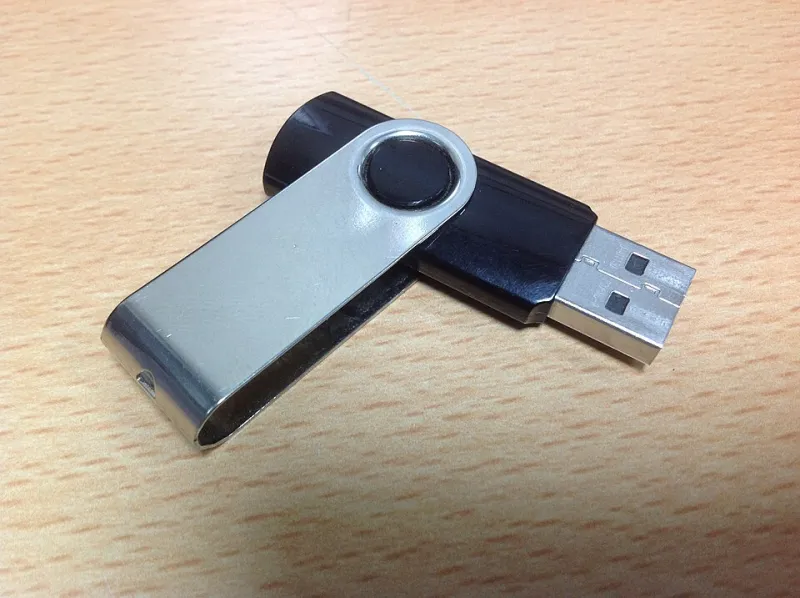
Photo: User:shadeermck, CC BY-SA 3.0, via Wikimedia Commons
There is a particular kind of quiet dread that comes with watching a test rig spin up and seeing ttyUSB1 where ttyUSB0 used to be. Nothing failed loudly. No error dialog. Your script just opened a handle to a port and started pushing configuration commands into whatever happened to be sitting there that morning.
That is not a hardware problem. It is a naming problem, and it is entirely fixable.
Why the numbers keep moving
The kernel assigns ttyUSB0, ttyUSB1, ttyACM0 and friends in the order devices are discovered during enumeration. Discovery order depends on which hub is scanned first, which port the device lands in, whether the adapter was already connected at boot, and how long a device takes to answer its descriptor request. Plug in a second adapter and the whole neighborhood reshuffles.
The ttyUSB versus ttyACM split is a separate thing worth knowing: ttyACM is the generic USB CDC-ACM class driver, while ttyUSB is what vendor drivers like ftdi_sio, ch341, cp210x, and pl2303 hand you. Two identical-looking cables can produce different prefixes based on the chip inside, which makes hardcoded paths even more fragile.
Check whether the kernel already solved this
Before writing a single rule, look in /dev/serial/by-id:
ls -l /dev/serial/by-id/
Those symlinks are built from the manufacturer, product, and serial string the device reports over USB. They survive reboots, replugs, and moving the cable to a different port. If your adapter has a real serial number, this is often the entire solution, and you can stop reading and go point your scripts at /dev/serial/by-id/usb-FTDI_FT232R_USB_UART_A50285BI-if00-port0.
There is also /dev/serial/by-path, keyed to the physical port on the host. That one stays stable when you swap devices on the same port, which is the opposite tradeoff and occasionally exactly what you want for a bench fixture.
The problem is cheap hardware. A lot of CH340 and PL2303 clones ship with no serial descriptor at all, or worse, every unit in the batch reports the identical serial number. Those are the cases where you graduate to udev.
Reading the device family tree
A udev rule matches attributes, so first you have to know which attributes exist. Pick a moment when the device is plugged in and working, then run:
udevadm info --attribute-walk --name=/dev/ttyUSB0
The output walks up the device chain from the tty node to the USB interface to the USB device to the hub to the PCI controller. Two attribute syntaxes show up and the difference matters:
ATTR{}reads the current device only.ATTRS{}searches the current device and every parent above it.
A tty node does not have idVendor on it. Its parent USB device does. So vendor matching in a tty rule needs ATTRS{}, not ATTR{}. Getting this backwards is the single most common reason a rule silently never fires.
You are looking for a block like this in the walk:
looking at parent device '/devices/pci0000:00/0000:00:14.0/usb1/1-1/1-1.2':
  KERNELS=="1-1.2"
  ATTRS{idVendor}=="0403"
  ATTRS{idProduct}=="6001"
  ATTRS{serial}=="A50285BI"
  ATTRS{manufacturer}=="FTDI"
If you prefer a second opinion, lsusb -v -d 0403:6001 dumps the same identifiers in a more readable form, and udevadm info --query=property --name=/dev/ttyUSB0 gives you the flattened version.
A rule that actually holds
Rules live in /etc/udev/rules.d/, and files are parsed in lexical order. Never edit anything under /lib/udev/rules.d/ — a package update will eat your work. Create /etc/udev/rules.d/60-usb-serial.rules:
SUBSYSTEM=="tty", ATTRS{idVendor}=="0403", ATTRS{idProduct}=="6001", ATTRS{serial}=="A50285BI", SYMLINK+="tty-rig-psu", MODE="0660", GROUP="dialout"
A few notes that save headaches:
SYMLINK+=creates the link; the underlying node still exists under its kernel name. Nothing breaks if the rule is later removed.- Permissions on the symlink follow the target, so
MODEandGROUPon the same rule are the right place to set them. dialoutis the conventional group on Debian, Ubuntu, and Fedora. Arch usesuucp. Check withls -l /dev/ttyUSB0on a working device rather than guessing.- If you would rather not manage group membership,
TAG+="uaccess"grants the locally logged-in user an ACL automatically. That is great on a desktop and useless on a headless server where nobody is logged in at the console.
When the serial number is missing or duplicated
This is the clone-adapter scenario. A rule matching only idVendor and idProduct will fire for every identical adapter you own, which is fine for one device and chaos for three.
The fallback is physical position. Match KERNELS=="1-1.2" from the walk output alongside the vendor and product IDs, and you get a rule that pins a device to a specific port on a specific hub. Label the ports on the chassis with tape, because the rule now encodes a physical fact about your machine.
Testing without locking yourself out
Open a second terminal and get a root shell with sudo -i before you start. That shell is your escape hatch if a rule does something unexpected.
Then:
sudo udevadm control --reload-rules
sudo udevadm trigger --subsystem-match=tty
The udevadm test command runs a dry pass without touching the real /dev:
udevadm test /sys/class/tty/ttyUSB0
Scroll the output looking for two things: your rule name appearing in the list of files read, and a LINK line showing the symlink udev intends to create. If your rule never shows up, the match expression is wrong. If it shows up with no LINK, the SYMLINK assignment is malformed.
Once it works, verify the symlink exists, then test permission as the actual user who will run the job — not as root:
sudo -u youruser python3 -c "open('/dev/tty-rig-psu','rb')"
Root bypasses permission checks entirely, so a root-only test proves nothing about whether your automation will work.
Things that will bite you later
ModemManager. On desktop distributions it probes new ttyACM devices with AT commands. If your device speaks a non-AT protocol, those probes can confuse it. Add ENV{ID_MM_DEVICE_IGNORE}="1" to the rule.
Duplicate serial numbers. If two identical adapters report the same serial string, both rules fire and the symlink points at whichever enumerated last. Test with everything plugged in at once, not one device at a time.
Service ordering. A systemd unit that wants the symlink should depend on the device unit, using the escaped form: BindsTo=dev-tty\x2drig\x2dpsu.device. Otherwise it starts before the link exists and fails intermittently.
The reboot you forgot to try. Three replugs and no reboot is not a test. Reboot once, confirm the symlink, then reboot again with a different device count attached. That second reboot is where the ghosts live.
Ten minutes of attribute reading and a four-line rule buys you a name that never moves. That is a much better strategy than memorizing which port is which on any given Tuesday.